back to home
mrdoob / stats.js
JavaScript Performance Monitor
9,094 stars
1,201 forks
22 issues
JavaScript
AI Architecture Analysis
This repository is indexed by RepoMind. By analyzing mrdoob/stats.js in our AI interface, you can instantly generate complete architecture diagrams, visualize control flows, and perform automated security audits across the entire codebase.
Our Agentic Context Augmented Generation (Agentic CAG) engine loads full source files into context, avoiding the fragmentation of traditional RAG systems. Ask questions about the architecture, dependencies, or specific features to see it in action.
Embed this Badge
Showcase RepoMind's analysis directly in your repository's README.
[](https://repomind-ai.vercel.app/repo/mrdoob/stats.js)
Preview:
Repository Summary (README)
Previewstats.js
JavaScript Performance Monitor
This class provides a simple info box that will help you monitor your code performance.
- FPS Frames rendered in the last second. The higher the number the better.
- MS Milliseconds needed to render a frame. The lower the number the better.
- MB MBytes of allocated memory. (Run Chrome with
--enable-precise-memory-info) - CUSTOM User-defined panel support.
Screenshots
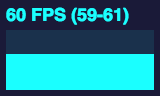
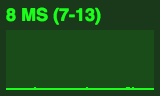
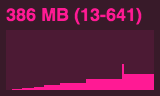
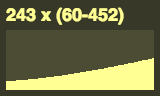
Installation
npm install stats.js
Usage
var stats = new Stats();
stats.showPanel( 1 ); // 0: fps, 1: ms, 2: mb, 3+: custom
document.body.appendChild( stats.dom );

function animate() {

	stats.begin();

	// monitored code goes here

	stats.end();

	requestAnimationFrame( animate );

}

requestAnimationFrame( animate );
Bookmarklet
You can add this code to any page using the following bookmarklet:
javascript:(function(){var script=document.createElement('script');script.onload=function(){var stats=new Stats();document.body.appendChild(stats.dom);requestAnimationFrame(function loop(){stats.update();requestAnimationFrame(loop)});};script.src='https://mrdoob.github.io/stats.js/build/stats.min.js';document.head.appendChild(script);})()