back to home
Hunlongyu / ZY-Player
▶️ 跨平台桌面端视频资源播放器.简洁无广告.免费高颜值. 🎞
14,503 stars
2,255 forks
64 issues
VueSCSSJavaScript
AI Architecture Analysis
This repository is indexed by RepoMind. By analyzing Hunlongyu/ZY-Player in our AI interface, you can instantly generate complete architecture diagrams, visualize control flows, and perform automated security audits across the entire codebase.
Our Agentic Context Augmented Generation (Agentic CAG) engine loads full source files into context, avoiding the fragmentation of traditional RAG systems. Ask questions about the architecture, dependencies, or specific features to see it in action.
Embed this Badge
Showcase RepoMind's analysis directly in your repository's README.
[](https://repomind-ai.vercel.app/repo/Hunlongyu/ZY-Player)
Preview:
Repository Summary (README)
Preview<p align="center">
<img width="128" src="https://i.loli.net/2020/05/07/9kLvPnWVCp7538c.png" >
</p>
<p align="center">
<a href="http://zyplayer.fun/" target="_blank">官网</a>
<a href="https://github.com/Hunlongyu/ZY-Player/issues" target="_blank">反馈</a>
</p>
<p align="center">
<img src="https://forthebadge.com/images/badges/built-with-love.svg">
<p>
<p align="center">
<img src="https://github.com/aleen42/badges/raw/master/src/visual_studio_code_flat_square.svg?sanitize=true">
<img src="https://github.com/aleen42/badges/raw/master/src/vue_flat_square.svg?sanitize=true">
<img src="https://github.com/aleen42/badges/raw/master/src/javascript_flat_square.svg?sanitize=true">
<img src="https://github.com/aleen42/badges/raw/master/src/eslint_flat_square.svg?sanitize=true">
</p>
<p align="center">
<img alt="GitHub All Releases" src="https://img.shields.io/github/downloads/Hunlongyu/ZY-Player/total?style=for-the-badge">
<img alt="GitHub release (latest by date including pre-releases)" src="https://img.shields.io/github/v/release/Hunlongyu/ZY-Player?include_prereleases&style=for-the-badge">
<img alt="GitHub" src="https://img.shields.io/github/license/Hunlongyu/ZY-Player?style=for-the-badge">
<img src="https://img.shields.io/github/workflow/status/Hunlongyu/ZY-Player/release-build?style=for-the-badge">
<p>
<h1 align="center">ZY Player 资源播放器</h1>
✨特性
- 🍕 全平台支持. Windows, Mac, Linux
- 🍥 支持 IPTV, 卫视直播
- 🍔 视频源支持自定义, 支持导入, 导出
- 🍟 支持海报模式和列表模式浏览资源
- 🌭 播放历史, 自动跳转历史进度
- 🍿 收藏夹支持导入,导出, 支持同步追剧
- 🥙 支持精简模式, 摸鱼划水
- 🥪 一键搜索所有资源, 支持历史搜索记录
- 🌮 导出资源下载链接
- 🍣 支持第三方播放器播放
- 🍤 显示豆瓣评分
🌴 下载
- 🎃 软件暂时关闭下载通道. 请大家支持正版.
- 🎭 所有资源来自网上, 该软件不参与任何制作, 上传, 储存等内容, 禁止传播违法资源. 该软件仅供学习参考, 请于安装后24小时内删除.
🎠 平台
| 平台 | 链接 |
|---|---|
| 🖥️ 电脑端 ( Windows & Mac & Linux ) | ZY Player |
| 📱 手机端 ( Android & IOS ) | ZY Player APP |
| 📺 电视端 ( Android & Mac ) ( 进行中 ) | ZY Player TV |
| 🌐 浏览器 ( Web ) | ZY Player Web |
🚀 快捷键
播放窗口 和 Mini窗口
| 快捷键 | 说明 | 快捷键 | 说明 |
|---|---|---|---|
Alt + Space | 聚焦或取消聚焦(全局快捷键) | ||
→ | 快进 5 秒 | ← | 快退 5 秒 |
↑ | 音量调高 | ↓ | 音量调低 |
m | 静音 | t | 置顶或退出置顶 |
f | 进入或退出全屏 | esc | 退出全屏 |
Alt + → | 下一集 | Alt + ← | 上一集 |
Alt + ↑ | 透明度调高 | Alt + ↓ | 透明度调低 |
home | 跳到视频开始位置 | end | 跳到视频结束位置 |
pgUp | 播放倍速加快 0.25 | pgDown | 播放倍速减慢 0.25 |
Alt + m | 进入或退出 Mini 模式 | space | 播放或暂停 |
🎨 截图
| 🥼 浏览 (海报模式) | 🧥 浏览 (列表模式) |
|---|---|
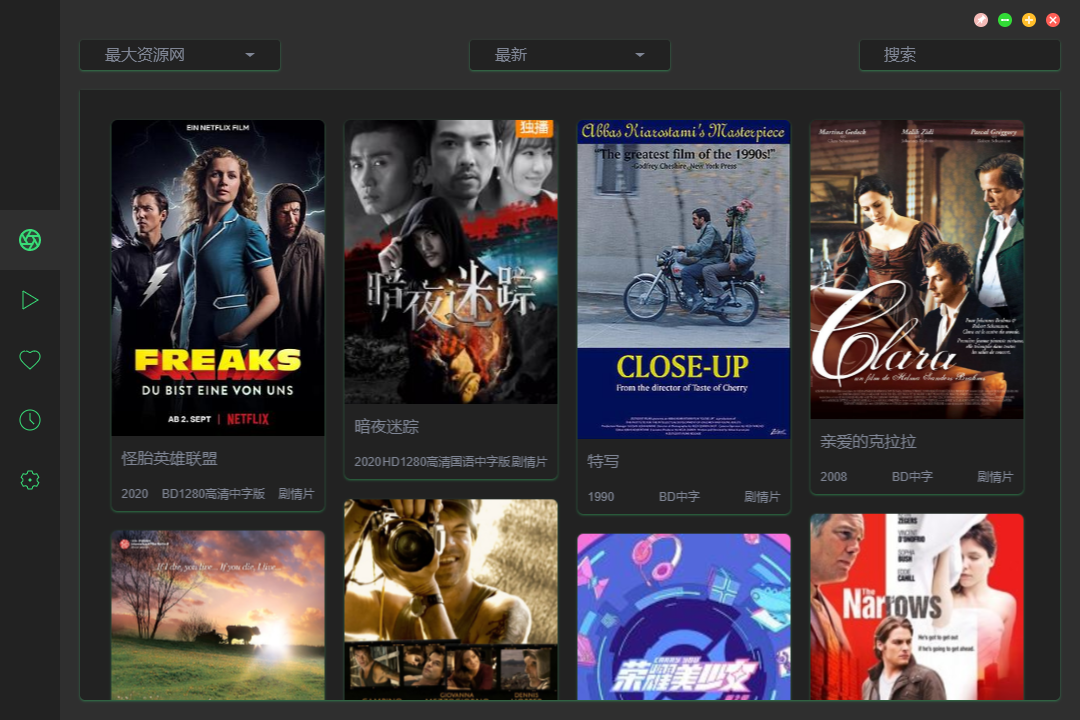 | 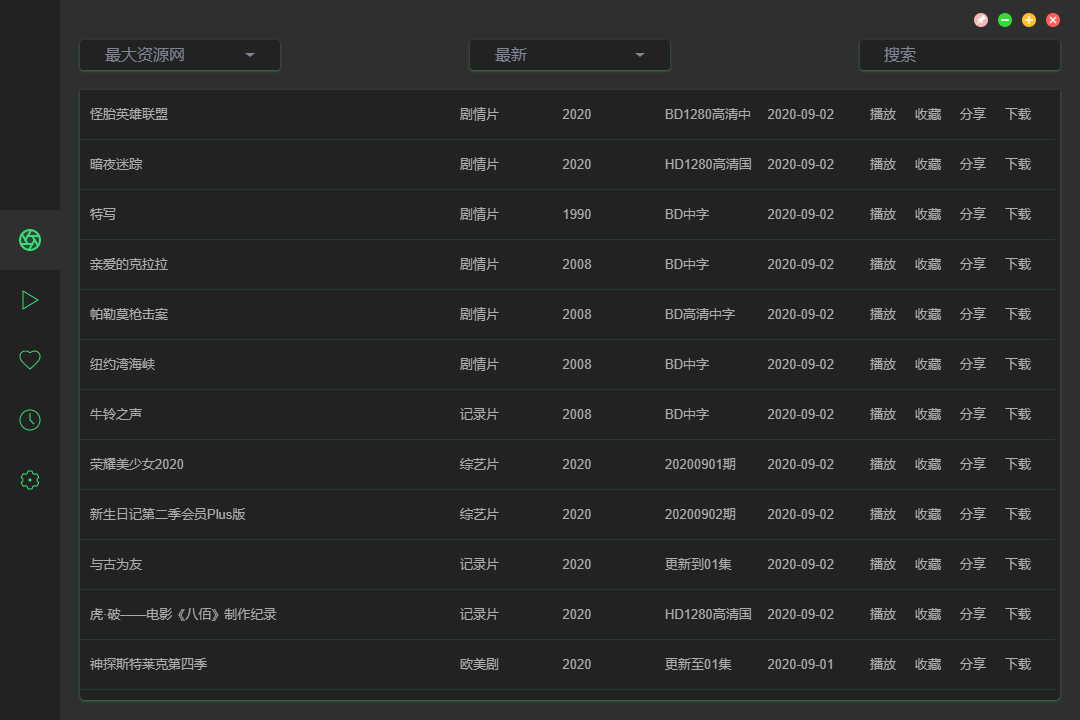 |
| 👔 搜索 | 👕 详情 |
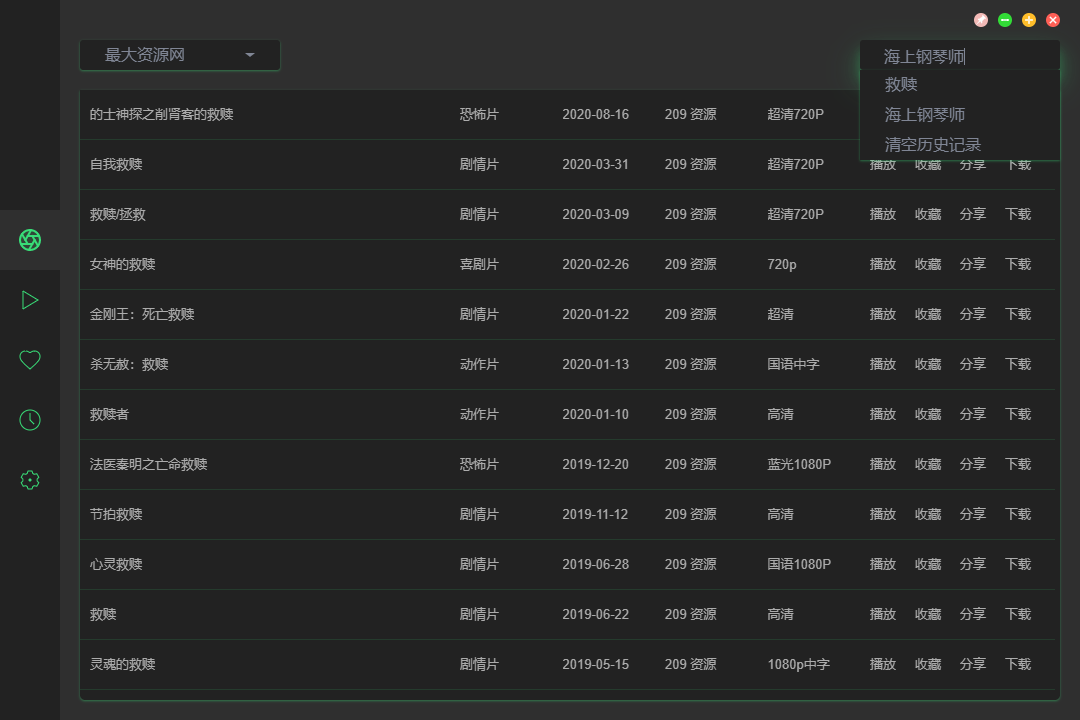 | 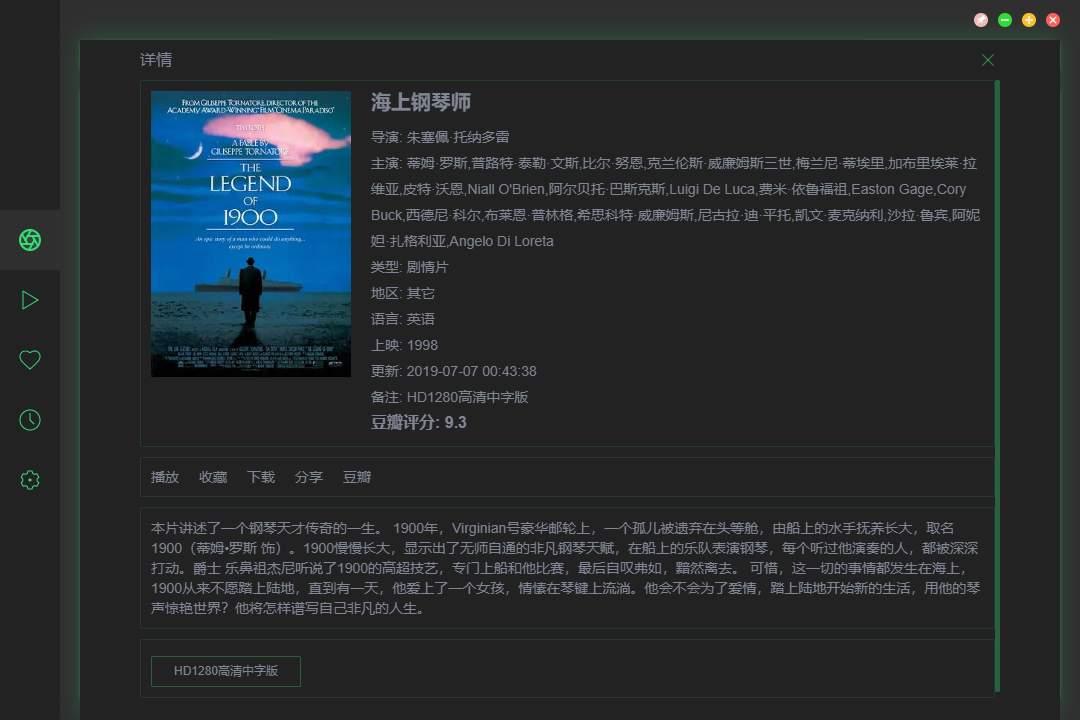 |
| 👖 播放 (普通模式) | 🩳 播放 (精简模式) |
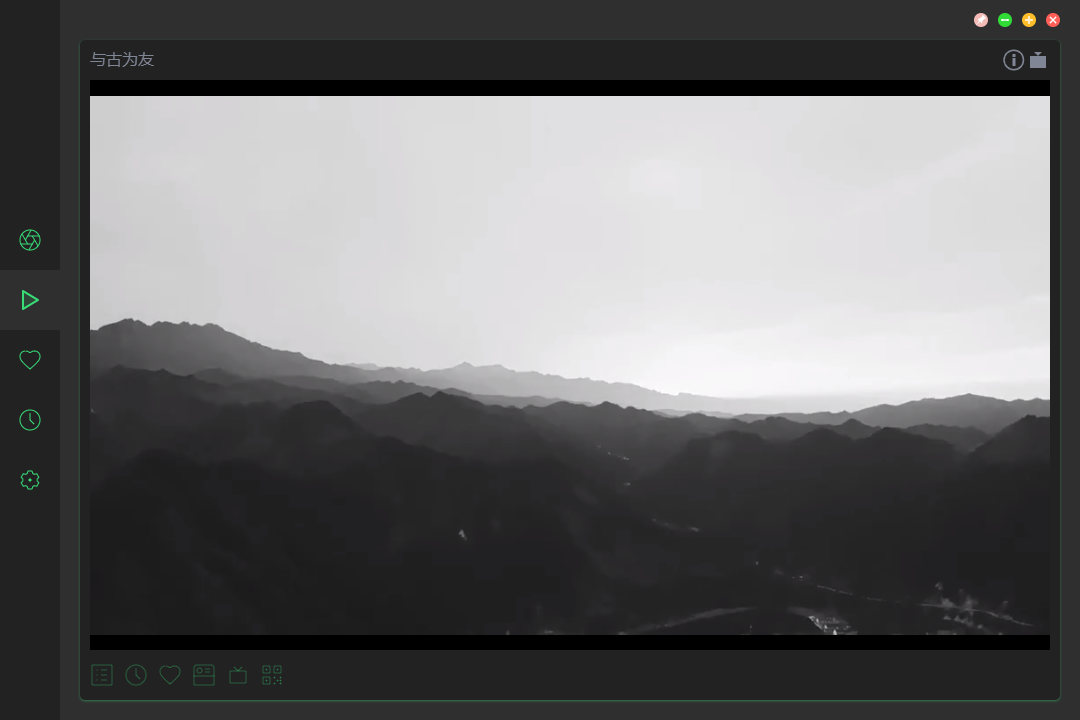 | 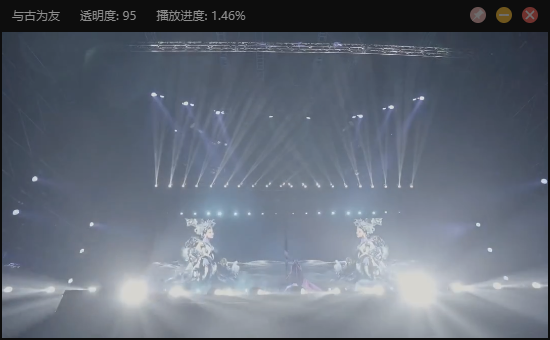 |
| 🧣 历史记录 | 🧤 收藏夹 |
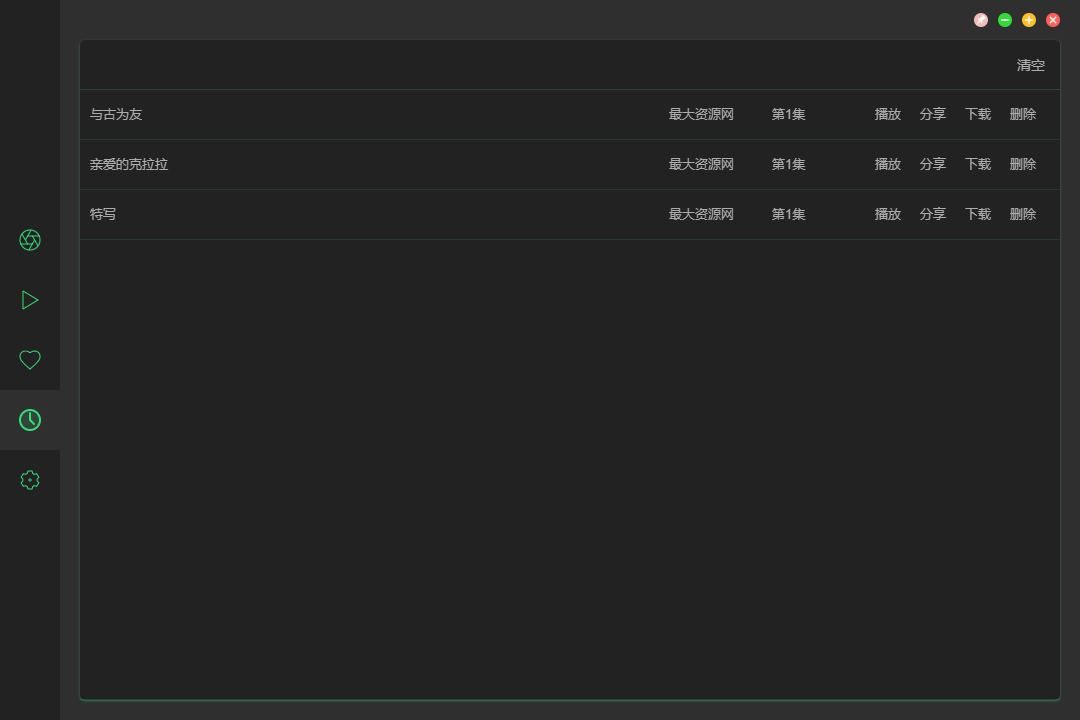 | 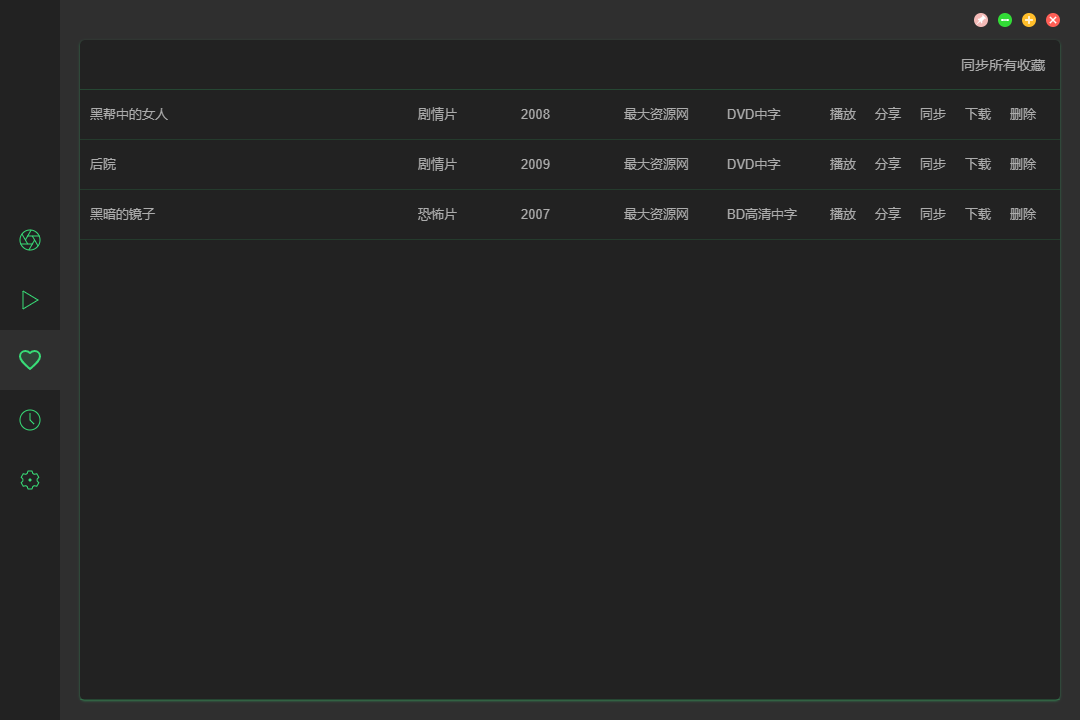 |
| 👗 白色主题 | 🥻 黑色主题 |
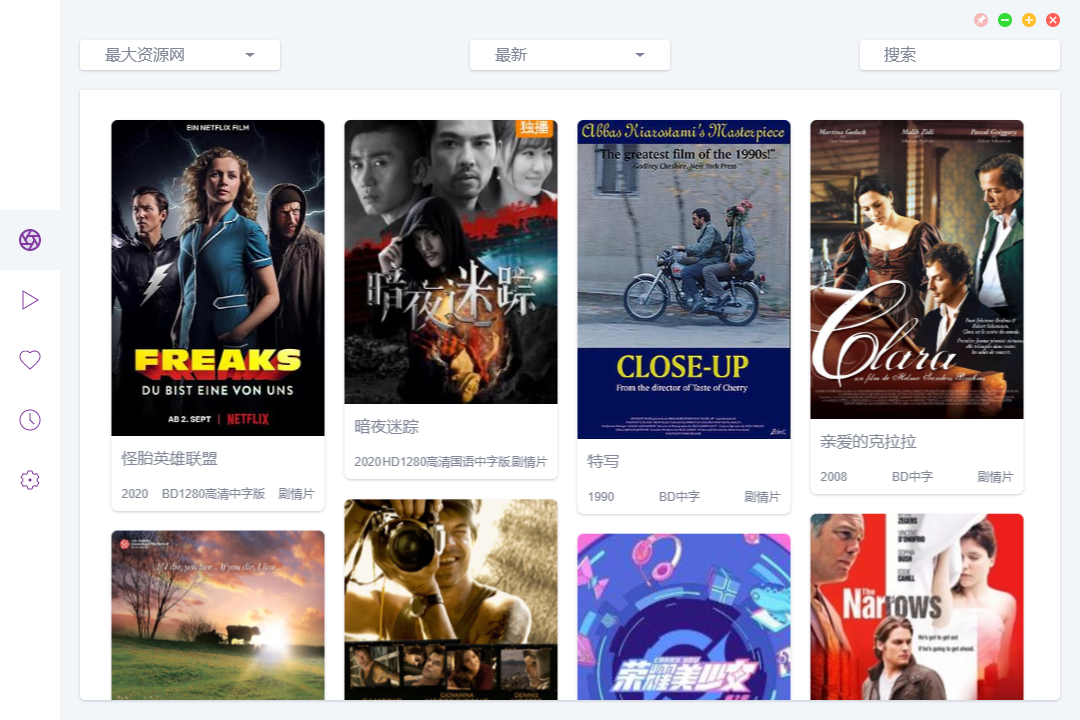 | 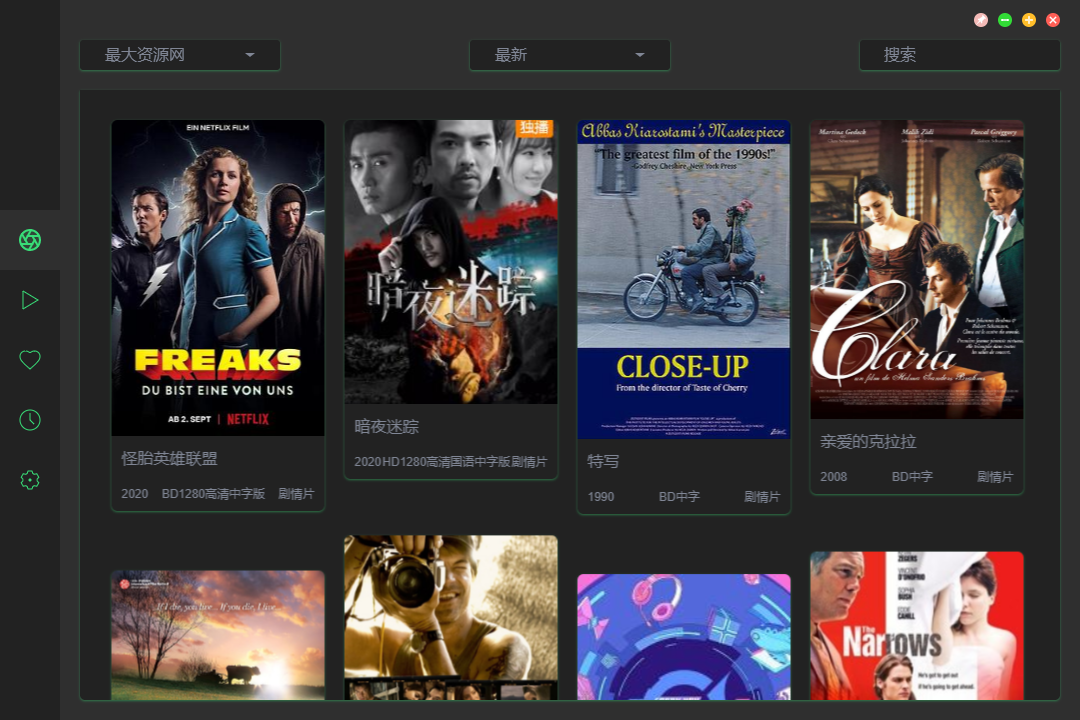 |
| 👘 绿色主题 | 👚 粉色主题 |
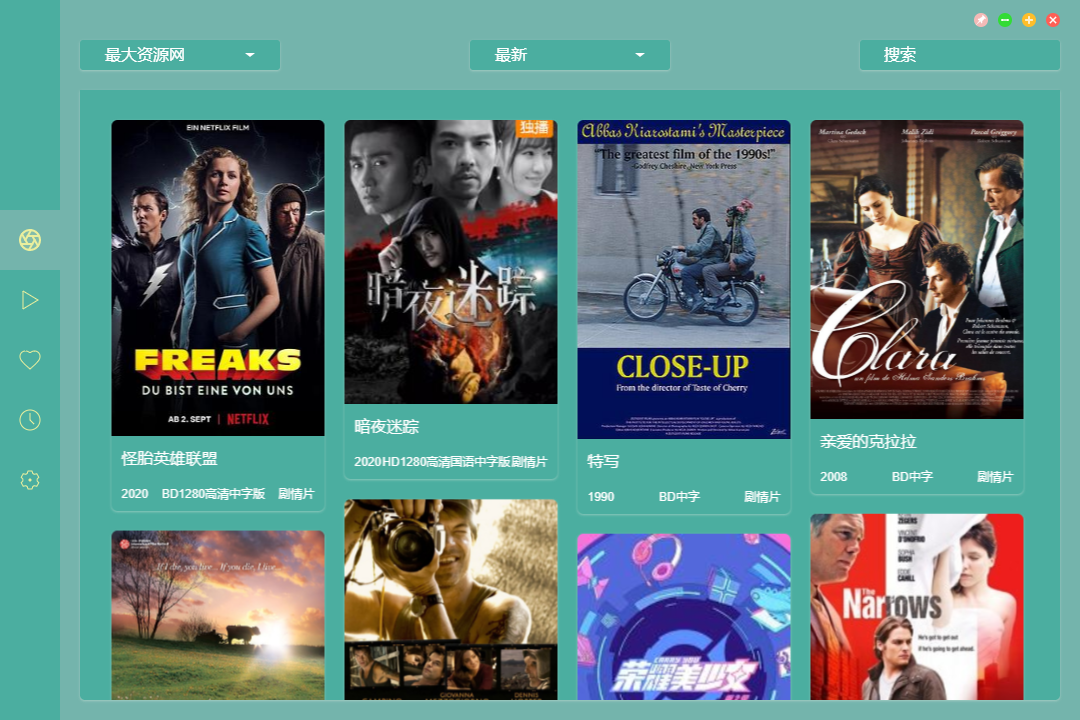 | 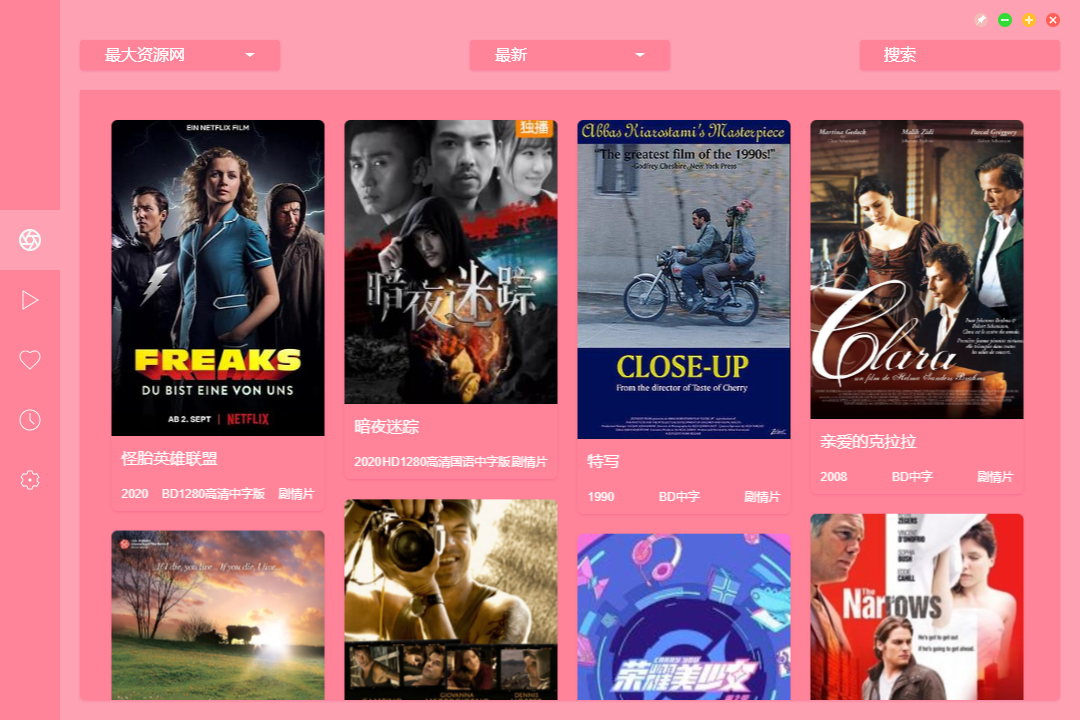 |
🍭 开发者
| Hunlongyu | cuiocean | buvta |
|---|---|---|
| <img width="120" src="https://avatars2.githubusercontent.com/u/15273630?s=460&u=48cf3299e2a842c0252233d8be42ef4c5d792138&v=4"/> | <img width="120" src="https://avatars0.githubusercontent.com/u/5760235?s=460&u=9d969dd8d83f069ce7ebd60516770c93ac07a330&v=4" /> | <img width="120" src="https://avatars3.githubusercontent.com/u/12312540?s=400&v=4" /> |
| 💻 🎨 🐛 | 💻 🐛 | 💻 🐛 |