bagisto / opensource-ecommerce-mobile-app
This open-source mobile ecommerce app seamlessly transforms your Bagisto store into a powerful mobile platform, providing real-time synchronization of products and categories.
AI Architecture Analysis
This repository is indexed by RepoMind. By analyzing bagisto/opensource-ecommerce-mobile-app in our AI interface, you can instantly generate complete architecture diagrams, visualize control flows, and perform automated security audits across the entire codebase.
Our Agentic Context Augmented Generation (Agentic CAG) engine loads full source files into context, avoiding the fragmentation of traditional RAG systems. Ask questions about the architecture, dependencies, or specific features to see it in action.
Embed this Badge
Showcase RepoMind's analysis directly in your repository's README.

Repository Summary (README)
PreviewOpen Source eCommerce Mobile App
Bagisto revolutionizes the world of mobile commerce with its open-source eCommerce mobile app solution. This open-source mobile ecommerce app seamlessly transforms your Bagisto store into a powerful mobile platform, providing real-time synchronization of products and categories. With a user-friendly interface, managing orders becomes a breeze, making it an essential tool for tech-savvy individuals and those new to eCommerce.
This mobile app, built on the foundation of the Bagisto eCommerce framework and leveraging the robust Laravel stack, offers many features for a comprehensive and efficient mobile shopping experience. The app ensures easy product information management and accelerates time-to-market for your products, all while giving you complete control over your store.
Live Demo
Android: https://play.google.com/store/apps/details?id=com.webkul.bagisto.mobikul
iOS: https://apps.apple.com/us/app/mobikul-bagisto-laravel-app/id6447519140
Features
The open-source ecommerce mobile app comes with an array of features to improve your customers' shopping experience.
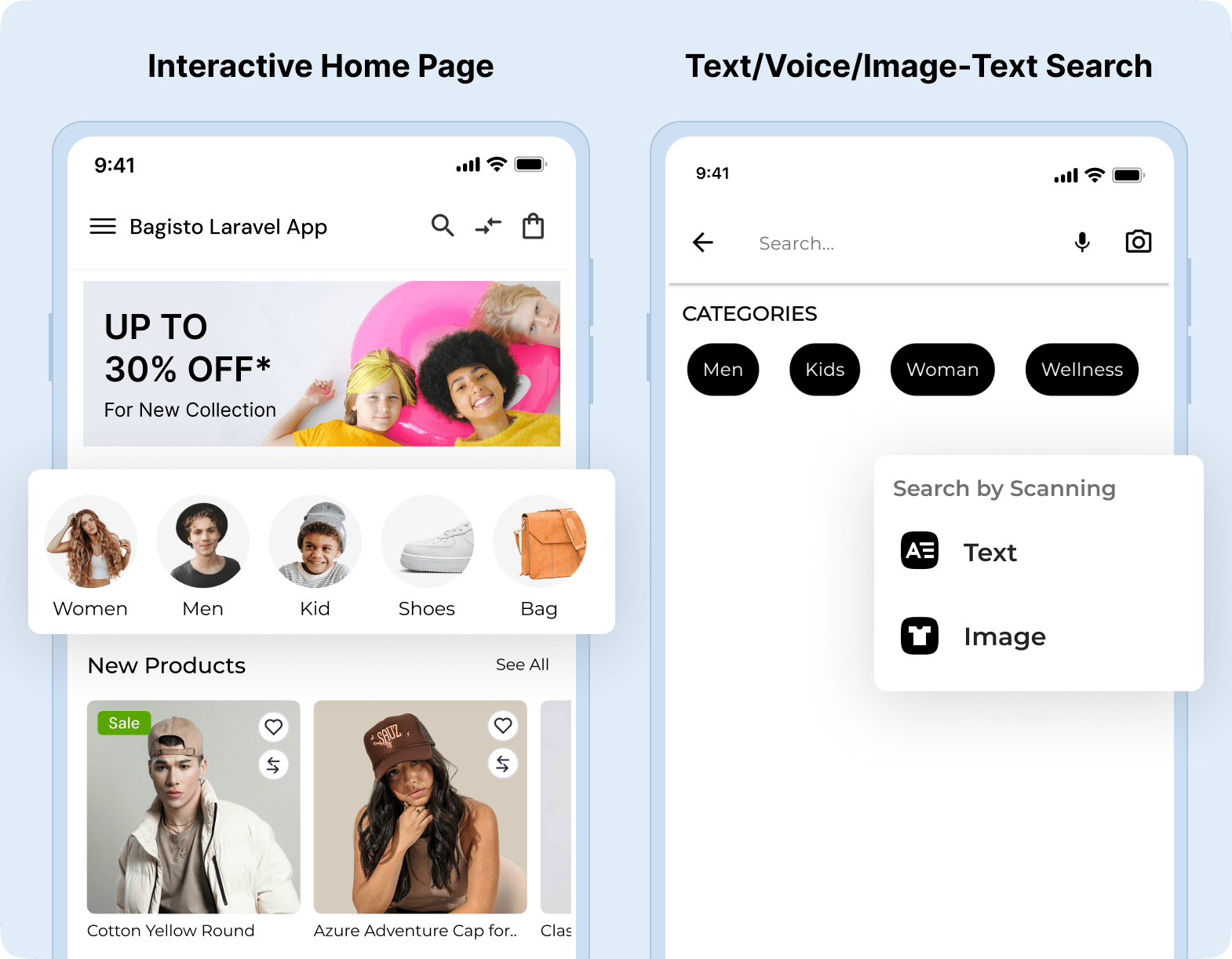
Interactive Home Page and Search
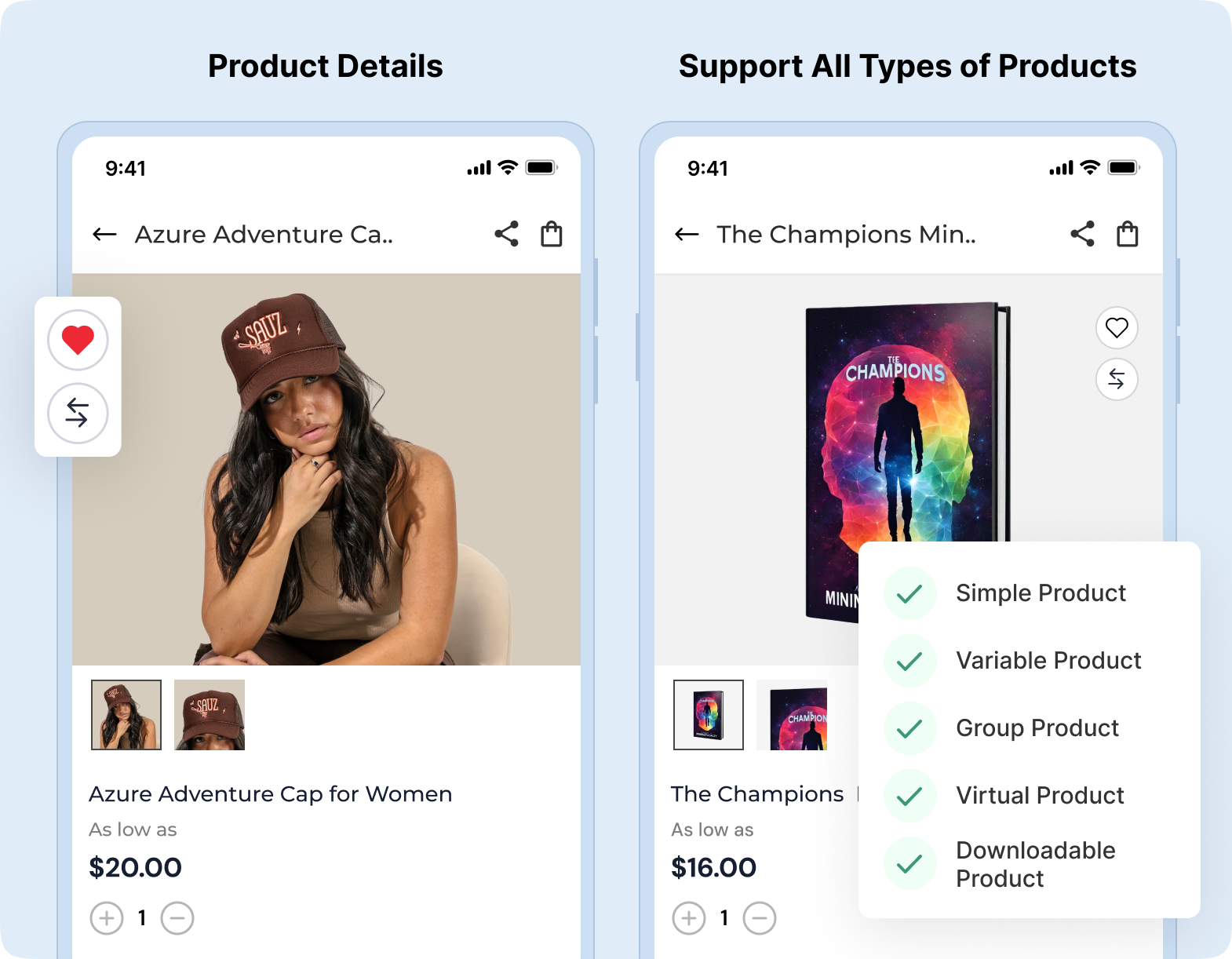
All Type Product Supported
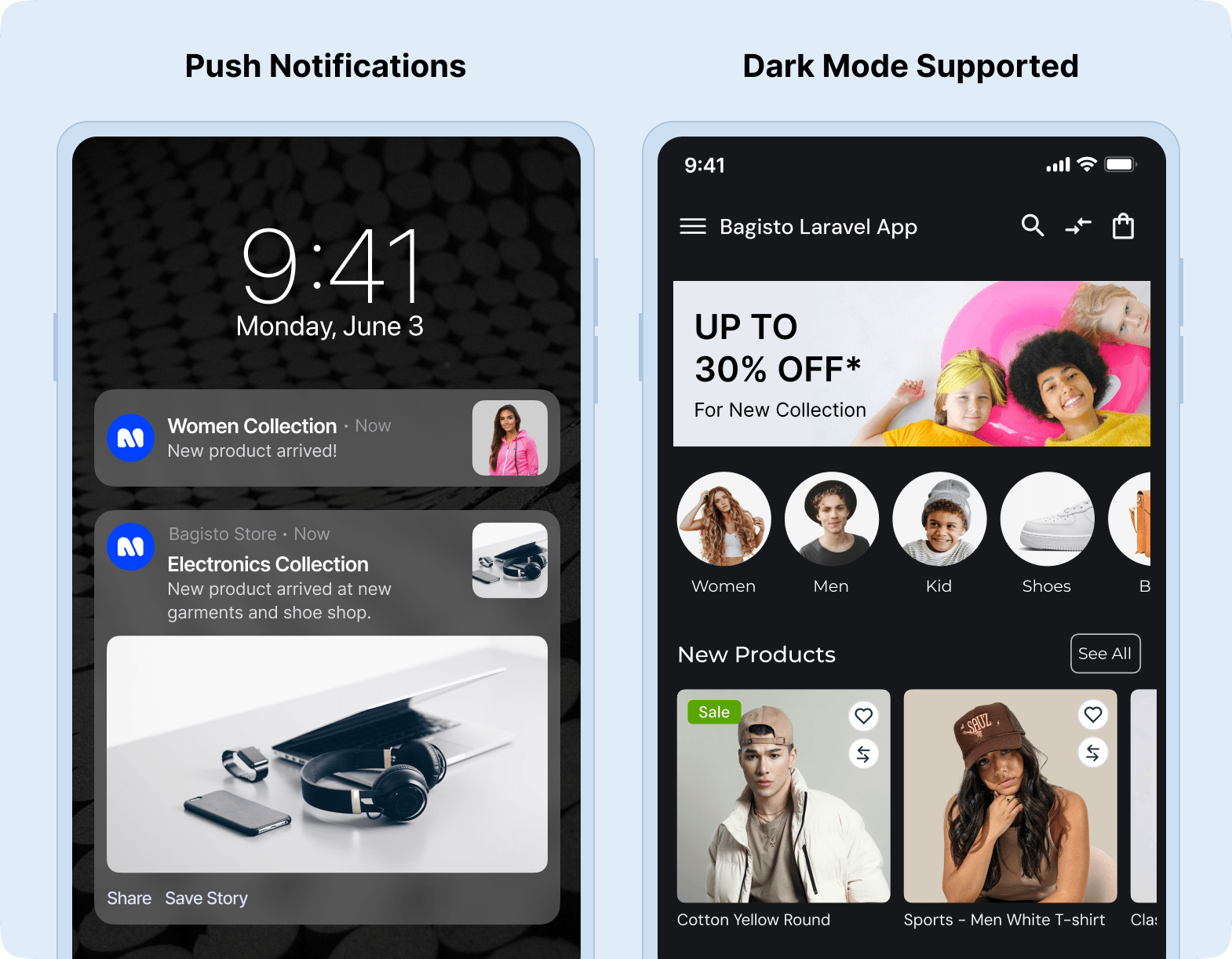
Dark Mode and Push Notification
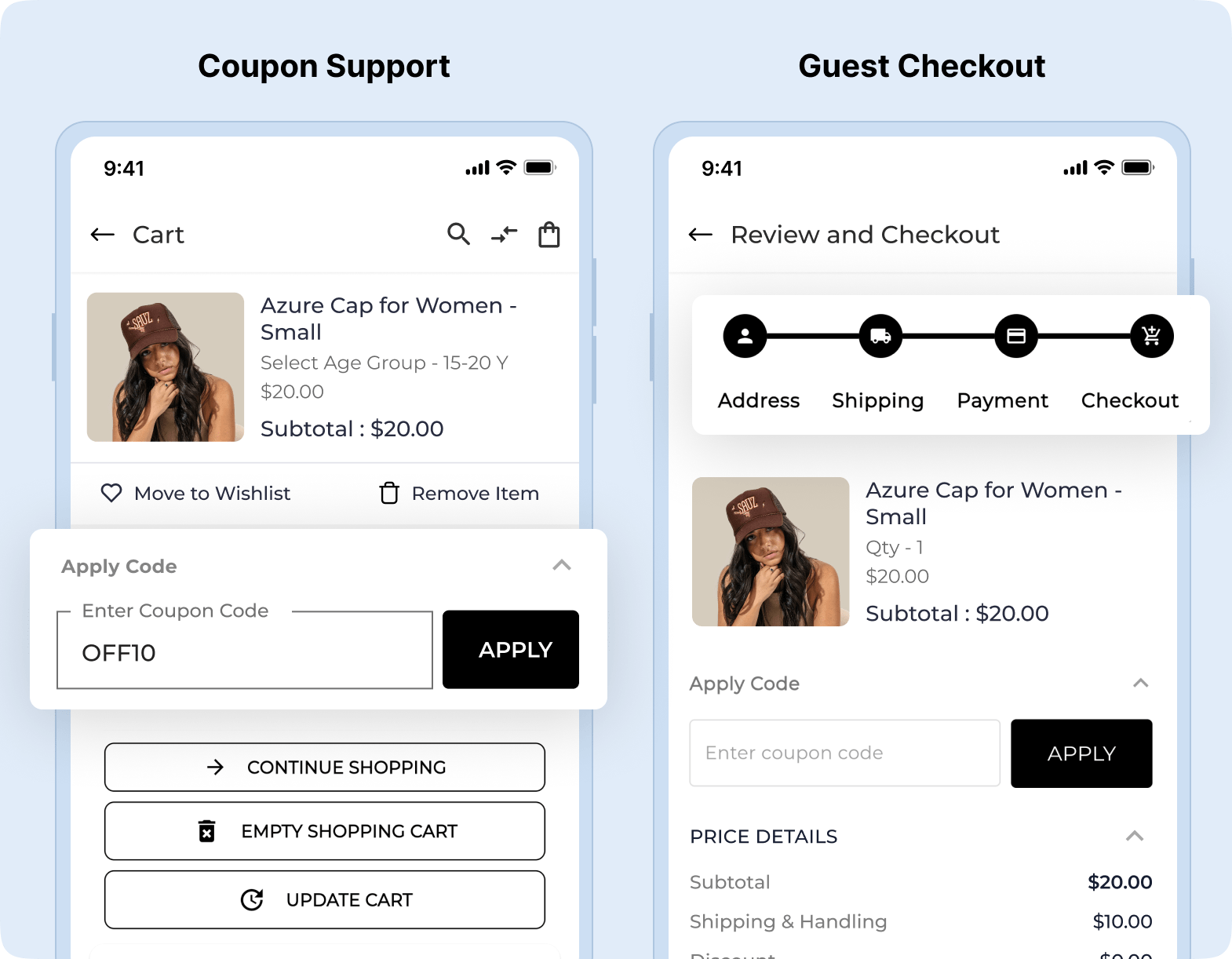
Discount Coupons and Guest Checkout
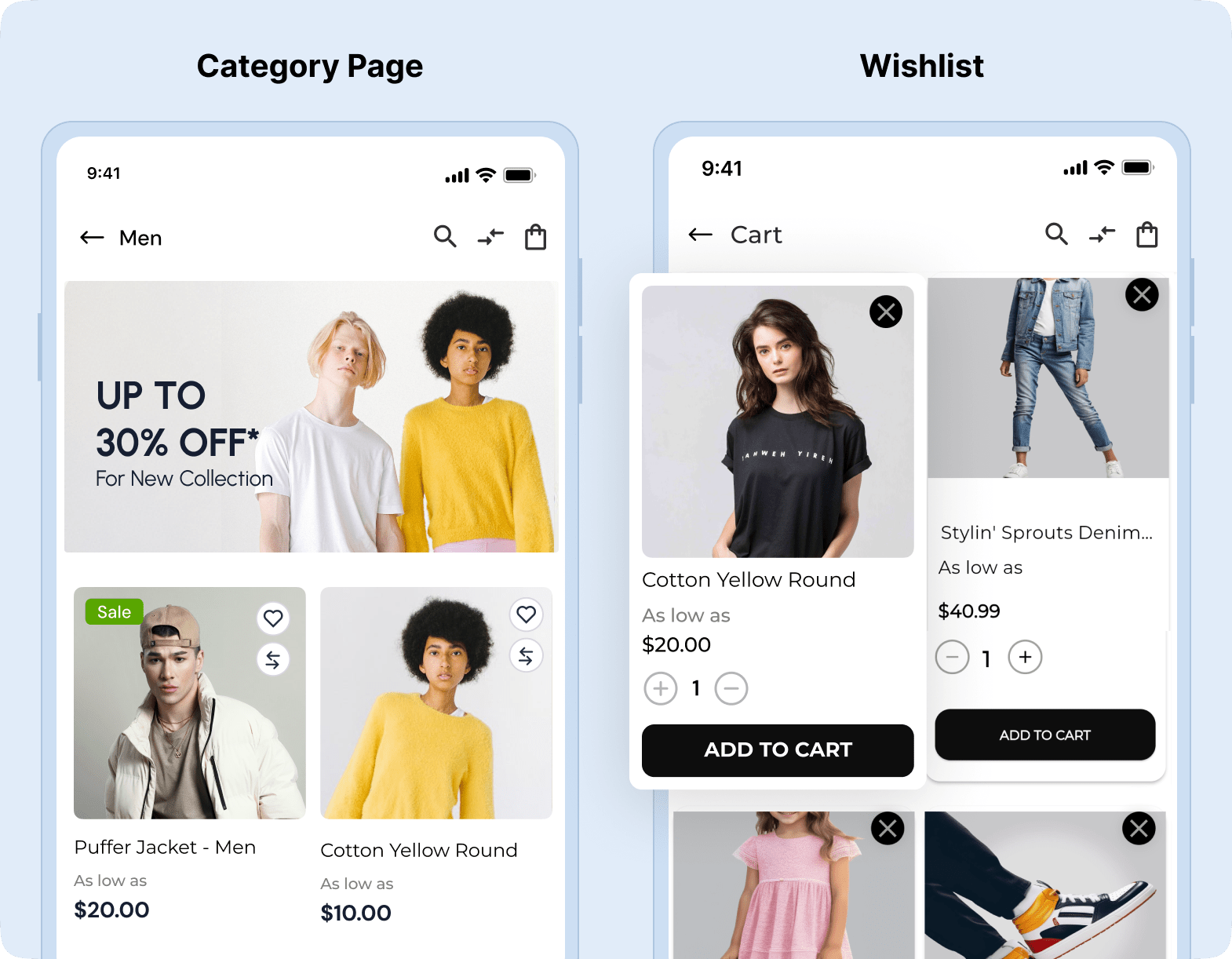
Wishlist and Product Category
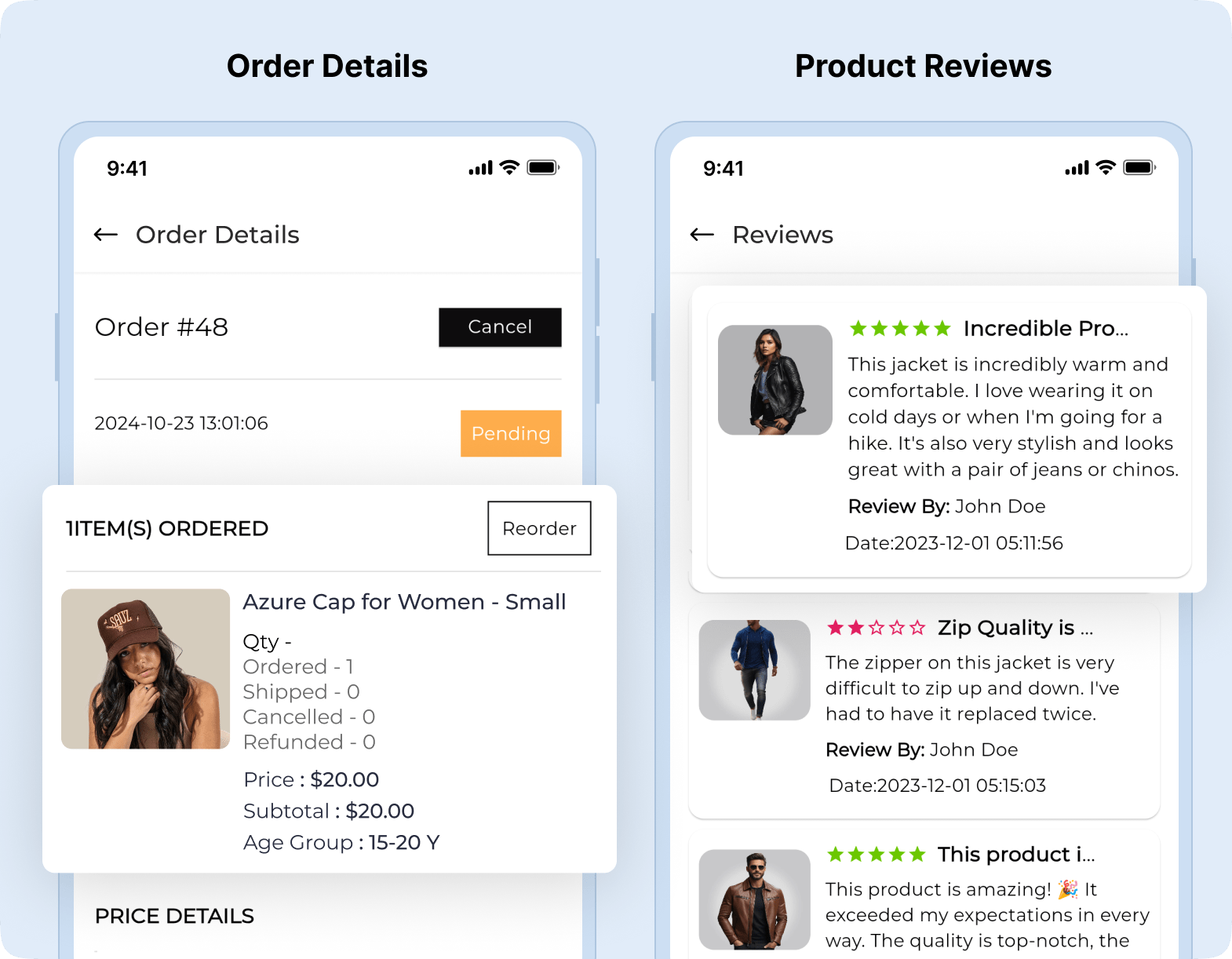
Order Details and Product Reviews
Installation Guide
Before beginning with the installation, you will need the following with the mentioned versions
- Bagisto Version - v2.3.6
- Android Studio Meerkat | 2024.3.1 Patch 2
- Flutter Version - 3.32.5
- Dart - 3.8.1
- Xcode - 16.3
- Swift - 6.1
Make sure you have installed the API module and set this up properly on your bagisto.
NOTE: It is recommended that you run a simple Hello World program in Flutter first before proceeding further so that you are sure that the environment is properly set up.
Installation Steps
Clone the repository
- Open your terminal or command prompt
- Navigate to the directory where you want to save the project
- Use the git clone command followed by the repository URL
git clone https://github.com/bagisto/opensource-ecommerce-mobile-app.git
Install dependencies
- Navigate to the project's directory
cd <repository-name>
- Run the following command to install the required packages
flutter pub get
Generate Required files
- Navigate to the project's directory
cd <repository-name>
- Run the following command to generate the required files
flutter pub run build_runner build --delete-conflicting-outputs
Connect a device or emulator
-
Physical Device
- Enable USB debugging on your device
- Connect it to your computer using a USB cable.
-
Emulator
- Start an Android or iOS emulator using your preferred IDE or tools.
Run the Project
- Use the following command to build and run the project
flutter run
Minimum Versions
- Android: 22
- iOS: 16
Configurations Steps
For Setup
Change the baseDomain as per your store
Path: lib/utils/server_configuration.dart
static const String baseDomain = ‘....’;
Note: Add the value of the complete URL ending with the GraphQL API endpoint. E.g - https://example.com/graphql
For Theme
Change the Theme for your app
Path: lib/utils/mobikul_theme.dart
static const Color primaryColor = Color(***********);
static const Color accentColor = Color(***********);
For Push Notification Service
- Android
Replace "google-services.json".
- iOS
Replace "GoogleService-Info.plist".
Helpful Articles
For Application Title
-
Android
- Path: android/app/src/main/AndroidManifest.xml
- Change app name: android:label="***********"
-
iOS
- Go to the general tab and identity change the display name to your app name
For Homepage Header Title - Go to ‘assets/language/en.json’ (Note: Here, “en” in en.json refers to the languages that would be supported within the application)
For Splash Screen
-
For adding Lottie as Splash Screen
- Path: assets/lottie/splash_screen.json
- After updating the Lottie file, update the ‘splashLottie’ in lib/utils/assets_constants.
static const String splashLottie = "assets/lottie/splash_screen.json";
-
For adding an Image as a Splash Screen
- Path: assets/images/splash.png
- After updating the Image file, update the ‘splashImage’ in lib/utils/assets_constants.
static const String splashImage = "assets/images/splash.png";
For App Icon
- Android: Open the android folder in Android Studio and then right click app > new > Image Asset set Image.
- iOS: Replace the icons over the path > ios/Runner/Assets.xcassets/AppIcon.appiconset
Installation Video

API Documentation
For the API Documentation, please go through - https://github.com/bagisto/headless-ecommerce/
Usage
For detailed usage instructions, refer to the official documentation
Contributing
Contributions are welcome! Follow the contribution guidelines to get started.
License
Bagisto is open-sourced software licensed under the MIT license.