domlysz / BlenderGIS
Blender addons to make the bridge between Blender and geographic data
AI Architecture Analysis
This repository is indexed by RepoMind. By analyzing domlysz/BlenderGIS in our AI interface, you can instantly generate complete architecture diagrams, visualize control flows, and perform automated security audits across the entire codebase.
Our Agentic Context Augmented Generation (Agentic CAG) engine loads full source files into context, avoiding the fragmentation of traditional RAG systems. Ask questions about the architecture, dependencies, or specific features to see it in action.
Embed this Badge
Showcase RepoMind's analysis directly in your repository's README.

Repository Summary (README)
PreviewBlender GIS
Blender minimum version required : v2.83
Note : Since 2022, the OpenTopography web service requires an API key. Please register to opentopography.org and request a key. This service is still free.
Wiki - FAQ - Quick start guide - Flowchart
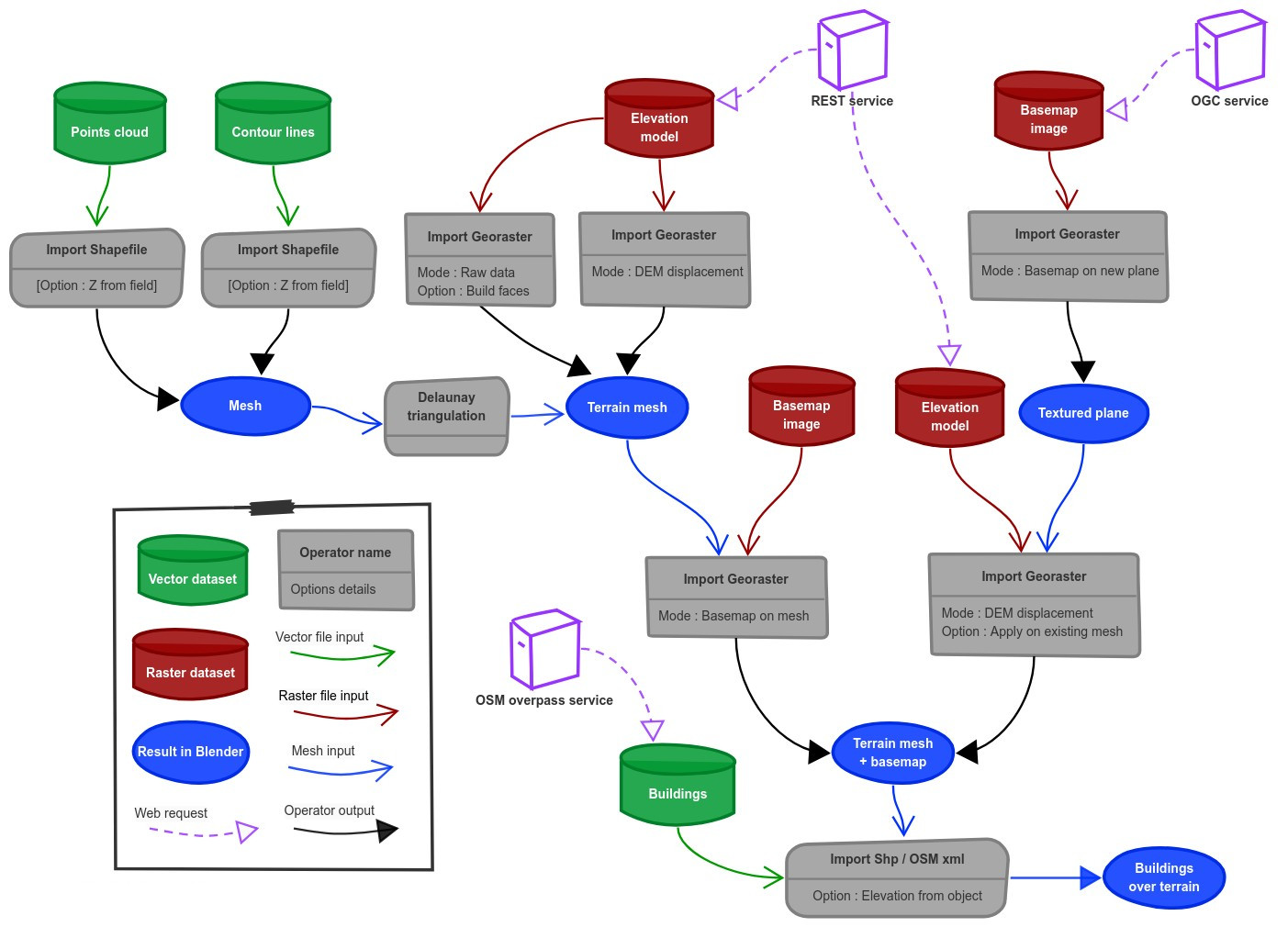
Functionalities overview
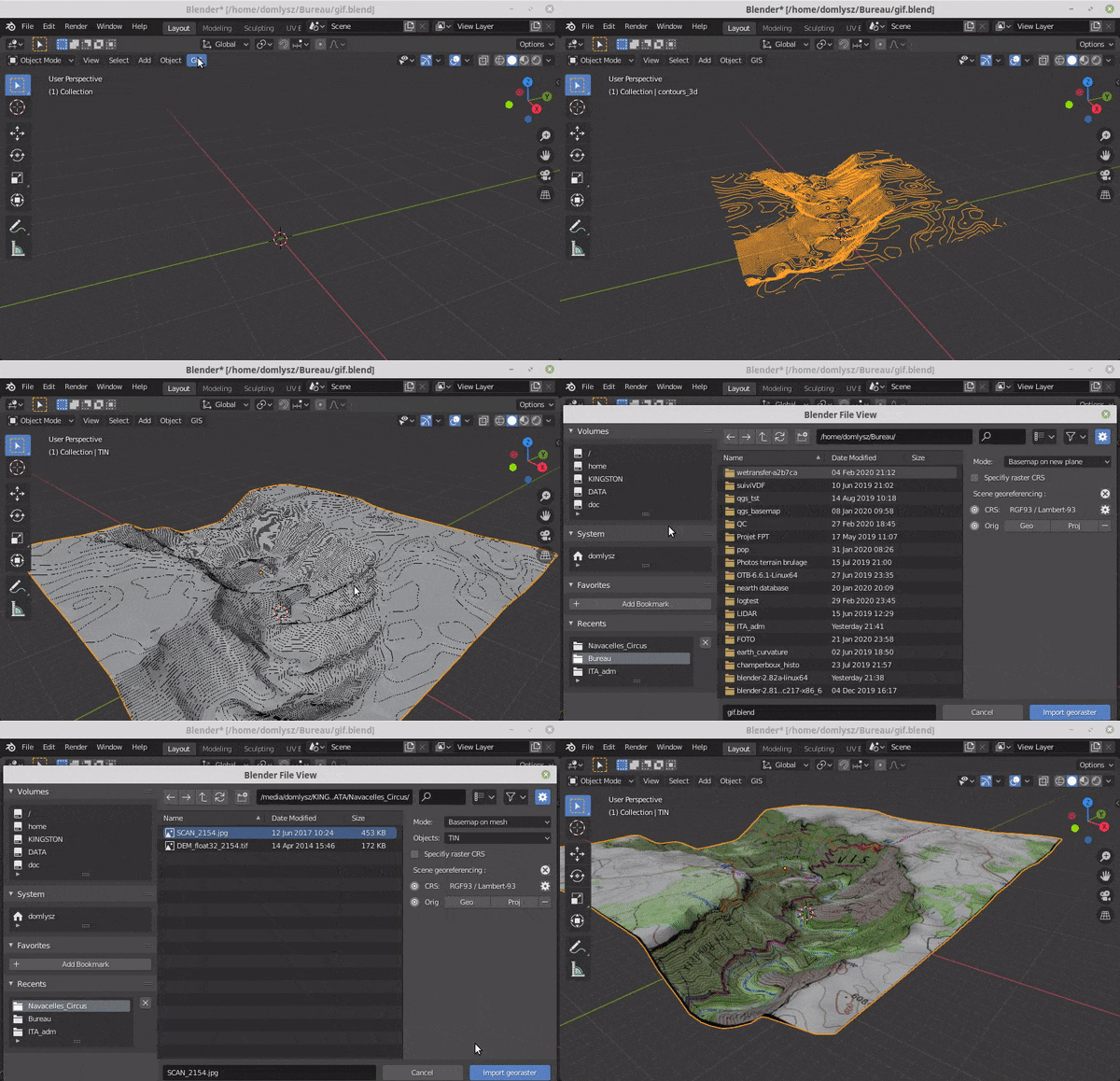
GIS datafile import : Import in Blender most commons GIS data format : Shapefile vector, raster image, geotiff DEM, OpenStreetMap xml.
There are a lot of possibilities to create a 3D terrain from geographic data with BlenderGIS, check the Flowchart to have an overview.
Exemple : import vector contour lines, create faces by triangulation and put a topographic raster texture.
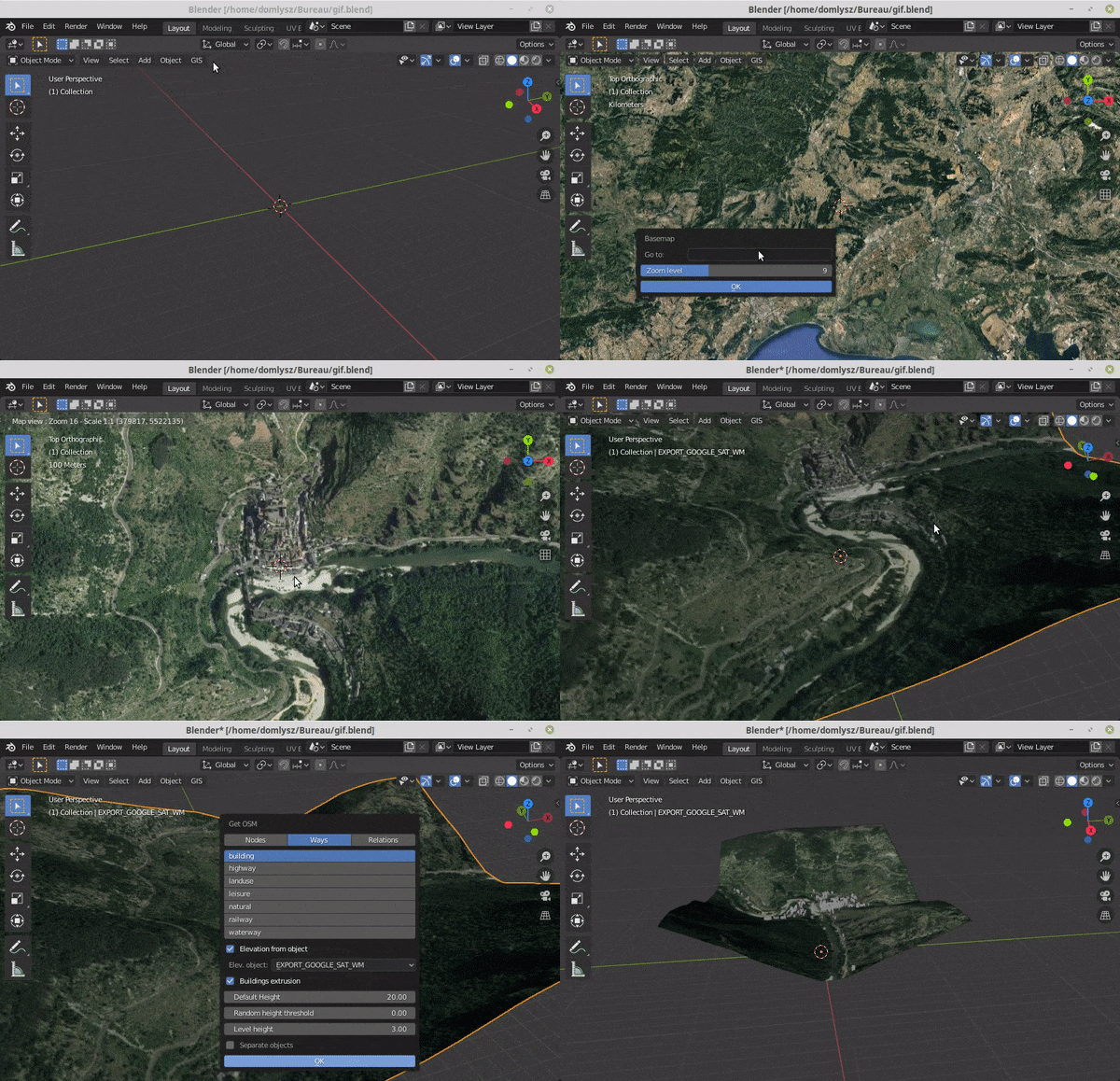
Grab geodata directly from the web : display dynamics web maps inside Blender 3d view, requests for OpenStreetMap data (buildings, roads ...), get true elevation data from the NASA SRTM mission.
And more : Manage georeferencing informations of a scene, compute a terrain mesh by Delaunay triangulation, drop objects on a terrain mesh, make terrain analysis using shader nodes, setup new cameras from geotagged photos, setup a camera to render with Blender a new georeferenced raster.