halo-dev / halo
强大易用的开源建站工具。
AI Architecture Analysis
This repository is indexed by RepoMind. By analyzing halo-dev/halo in our AI interface, you can instantly generate complete architecture diagrams, visualize control flows, and perform automated security audits across the entire codebase.
Our Agentic Context Augmented Generation (Agentic CAG) engine loads full source files into context, avoiding the fragmentation of traditional RAG systems. Ask questions about the architecture, dependencies, or specific features to see it in action.
Embed this Badge
Showcase RepoMind's analysis directly in your repository's README.

Repository Summary (README)
Preview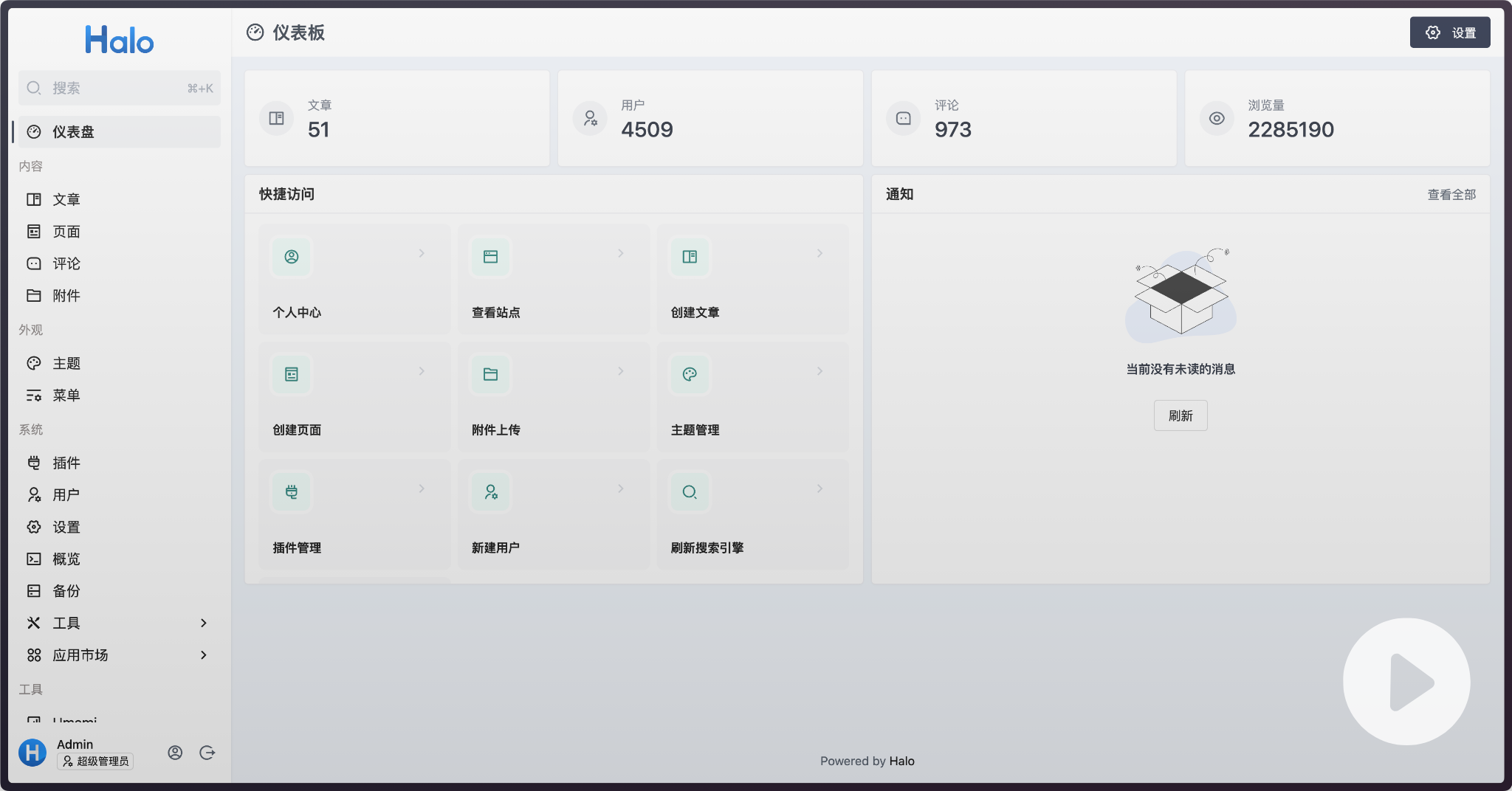
快速开始
如果你的设备有 Docker 环境,可以使用以下命令快速启动一个 Halo 的体验环境:
docker run -d --name halo -p 8090:8090 -v ~/.halo2:/root/.halo2 halohub/halo:2.22
或者点击下方按钮使用 Gitpod 或 ClawCloud Run 启动一个体验环境:


以上方式仅作为体验使用,推荐使用开源 Linux 服务器运维管理面板 1Panel 进行部署(查看文档),轻松搞定反向代理、SSL 证书及升级备份任务。更多部署方式,请查看文档。
在线体验
- 环境地址:https://demo.halocms.site
- 后台地址:https://demo.halocms.site/console
- 用户名:
demo - 密码:
P@ssw0rd123..
付费版
相比于社区版,Halo 付费版为用户提供了大量增强功能及技术支持服务,增强功能包括商城、短信验证码注册登录、全站私有化、LDAP 登录、三方账号登录及自定义 Logo 等。 点击查看付费版详细介绍。
生态
可访问 官方应用市场 或 awesome-halo 仓库 查看适用于 Halo 2.x 的主题和插件。
许可证

Halo 使用 GPL-v3.0 协议开源,请遵守开源协议。
贡献
参考 CONTRIBUTING。
<a href="https://github.com/halo-dev/halo/graphs/contributors"><img src="https://opencollective.com/halo/contributors.svg?width=890&button=false" /></a>
状态