wulabing / Xray_onekey
Xray 基于 Nginx 的 VLESS + XTLS 一键安装脚本
AI Architecture Analysis
This repository is indexed by RepoMind. By analyzing wulabing/Xray_onekey in our AI interface, you can instantly generate complete architecture diagrams, visualize control flows, and perform automated security audits across the entire codebase.
Our Agentic Context Augmented Generation (Agentic CAG) engine loads full source files into context, avoiding the fragmentation of traditional RAG systems. Ask questions about the architecture, dependencies, or specific features to see it in action.
Embed this Badge
Showcase RepoMind's analysis directly in your repository's README.

Repository Summary (README)
PreviewXray 基于 Nginx 的 VLESS + XTLS 一键安装脚本 <img src="https://raw.githubusercontent.com/wulabing/Xray_onekey/main/image/project_xray.jpg" alt="Project_Xray" width="122" height="30" align="bottom" />
感谢 JetBrains 提供的非商业开源软件开发授权!
Thanks for non-commercial open source development authorization by JetBrains!
由于 Nginx 前置导致的嵌套 tls 可能会出现连接阻断 目前更推荐使用 reality ,建议移步到以下地址
https://github.com/wulabing/xray_docker
Telegram 群组
- Telegram 交流群:https://t.me/wulabing_v2ray
- Telegram 更新公告频道:https://t.me/wulabing_channel
准备工作
- 准备一个域名,并将 A 记录添加好;
- 安装好
wget。
导入链接规范
https://github.com/XTLS/Xray-core/issues/91
截至 2021-2-24 仅有 V2RayN 4.12+ 及 V2RayNG 1.5.8+ 支持链接及二维码导入,其他客户端请手动填入配置信息。
安装/更新方式(Nginx 前置)
支持配置方式
- VLESS + TCP + TLS + Nginx + WebSocket
wget -N --no-check-certificate -q -O install.sh "https://raw.githubusercontent.com/wulabing/Xray_onekey/nginx_forward/install.sh" && chmod +x install.sh && bash install.sh
安装/更新方式(Xray 前置)
支持配置方式
-
VLESS + TCP + XTLS / TLS + Nginx
-
VLESS + TCP + XTLS / TLS + Nginx 及 VLESS + TCP + TLS + Nginx + WebSocket 回落并存模式
wget -N --no-check-certificate -q -O install.sh "https://raw.githubusercontent.com/wulabing/Xray_onekey/main/install.sh" && chmod +x install.sh && bash install.sh
注意事项
- 如果你不了解脚本中各项设置的具体含义,除域名外,请使用脚本提供的默认值;
- 使用本脚本需要你拥有 Linux 基础及使用经验,了解计算机网络部分知识,计算机基础操作;
- 目前支持 Debian 9+ / Ubuntu 18.04+ / Centos7+ / Oracle Linux 7+;
- 群主仅提供极其有限的支持,如有问题可以询问群友。
鸣谢
- 本脚本中 README Project_Xray 项目图片由 Blitzcrank Telegram:@Blitz_crank 提供 在此感谢Blitzcrank
- 本脚本中 MTProxyTLS 基于 https://github.com/sunpma/mtp 二次修改 在此感谢 sunpma;
- 本脚本中 锐速 4 合 1 脚本原项目引用 https://www.94ish.me/1635.html 在此感谢;
- 本脚本中 锐速 4 合 1 脚本修改版项目引用 https://github.com/ylx2016/Linux-NetSpeed 在此感谢 ylx2016;
- 本脚本中 配置文件及部分逻辑参考 https://github.com/jiuqi9997/xray-yes 在此感谢 玖柒;
- 本脚本中 二维码 API 部分参考 https://github.com/mack-a/v2ray-agent 在此感谢 mack-a。
启动方式
启动 Xray:systemctl start xray
停止 Xray:systemctl stop xray
启动 Nginx:systemctl start nginx
停止 Nginx:systemctl stop nginx
相关目录
Web 目录:/www/xray_web
Xray 服务端配置:/usr/local/etc/xray/config.json
Nginx 目录: /etc/nginx
证书文件: /ssl/xray.key(私钥)和 /ssl/xray.crt(证书公钥)
捐赠
您可以使用我的 搬瓦工 AFF 购买 VPS
https://bandwagonhost.com/aff.php?aff=63939
您可以使用我的 JustMySocks AFF 购买搬瓦工提供的代理
https://justmysocks.net/members/aff.php?aff=17621
您可以使用我的 DMIT AFF 购买 VPS
https://www.dmit.io/aff.php?aff=3957
您可以使用我的 Vultr AFF 创建新的 Vultr 账号并使用
https://www.vultr.com/?ref=6881279
您可以通过 USDT 支持我,感谢您的支持 TRC20:TFannfnajNGYsMTuVDcXfZXXPbcaxAEffa
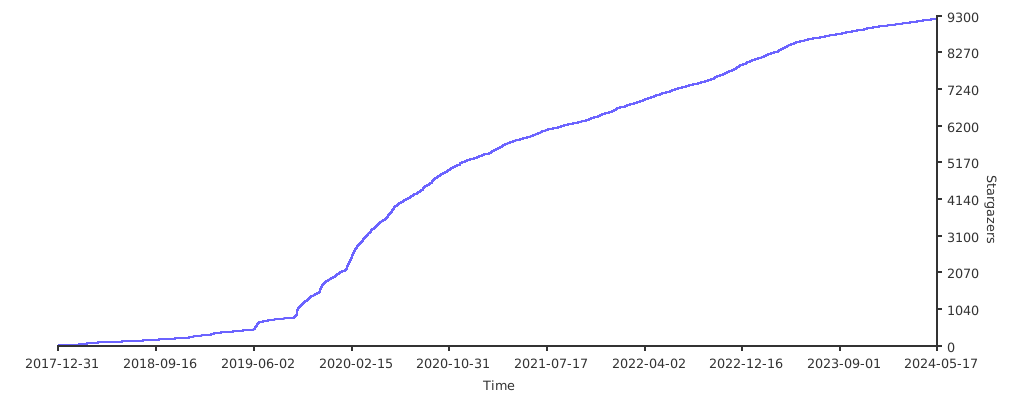
Stargazers over time